

- Introduction
- About
- Get started
- Functionalities
- Fields Visibility
- Translations
- Tabs Visibility
- Mapper
- Secured Fields
- Supported fields
- Bundled Fields
- Overview
- Add Bundled Field
- Bundled Fields Configuration
- Using Bundled Fields
- JQL Searcher
- Java API (ScriptRunner)
- Data Sources
- Email notifications
Secured Fields
This section provides information about Secured Select and Secured Multiselect.
Secured Select custom fields allows to restrict select’s options to particular groups, issue types and/or roles.
Prerequisites
Before you start add Secured Select and/or Secured Multiselect custom fields to Jira.
Steps
-
Go to Jira Administration > Issues.
-
Select Custom fields from the menu in the Fields section.
-
Click Add custom field.
-
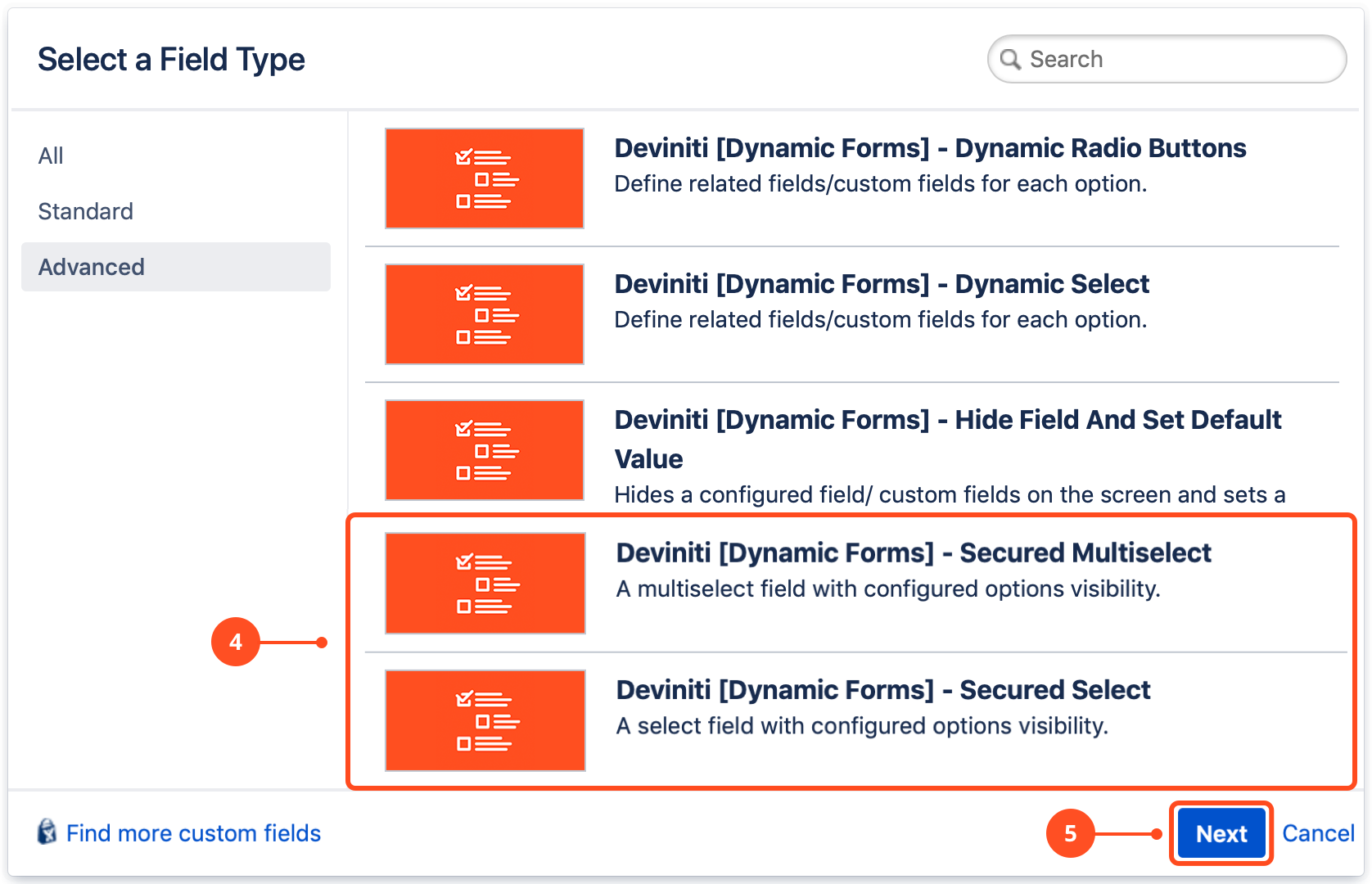
Select Deviniti [Dynamic Forms] - Secured Select or Deviniti [Dynamic Forms] - Secured Multiselect from the list (in the advanced section).
-
Click Next.
-
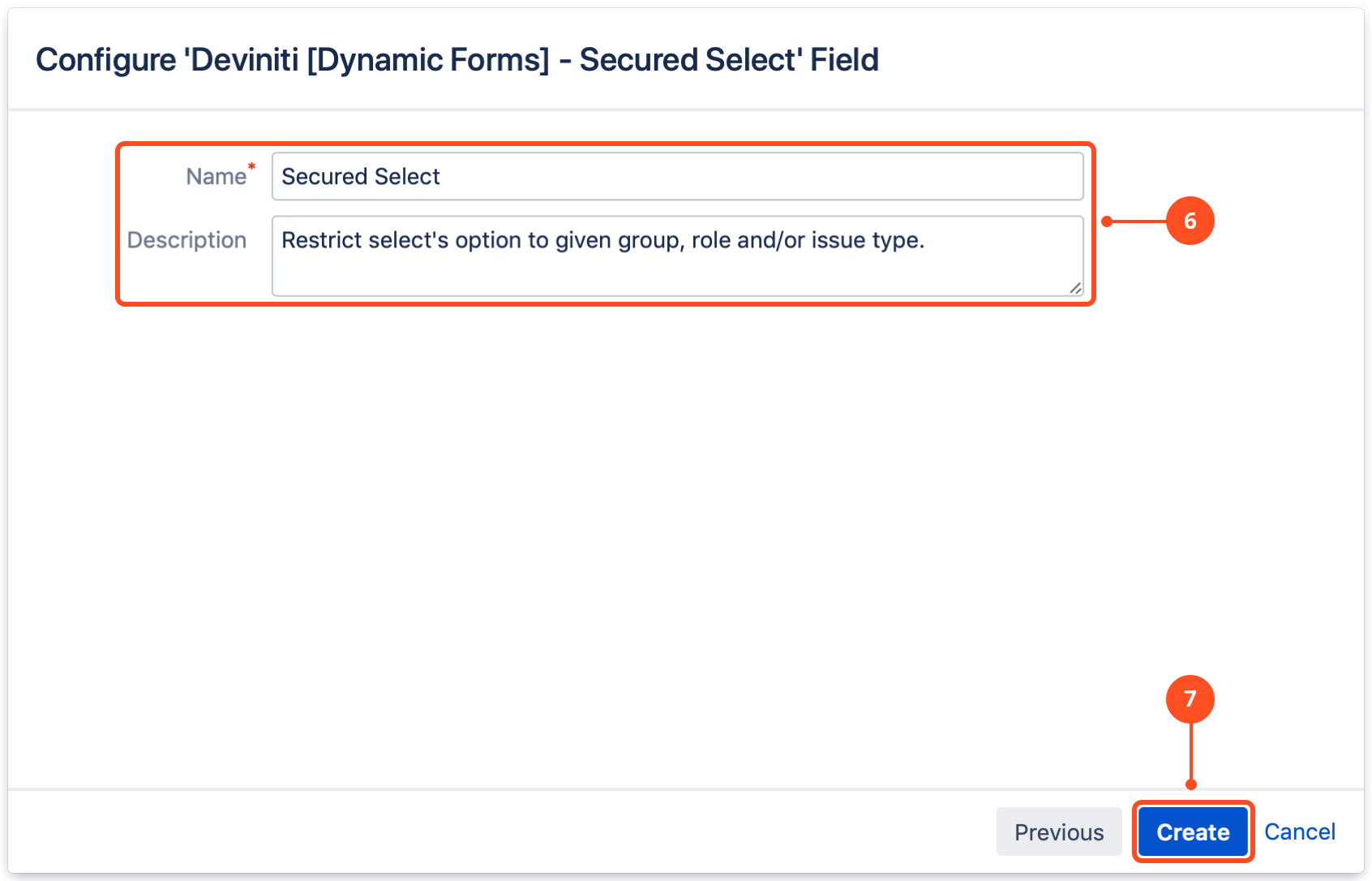
Configure the selection criteria for the field: Name and Description (optional).
-
Click Create.
-
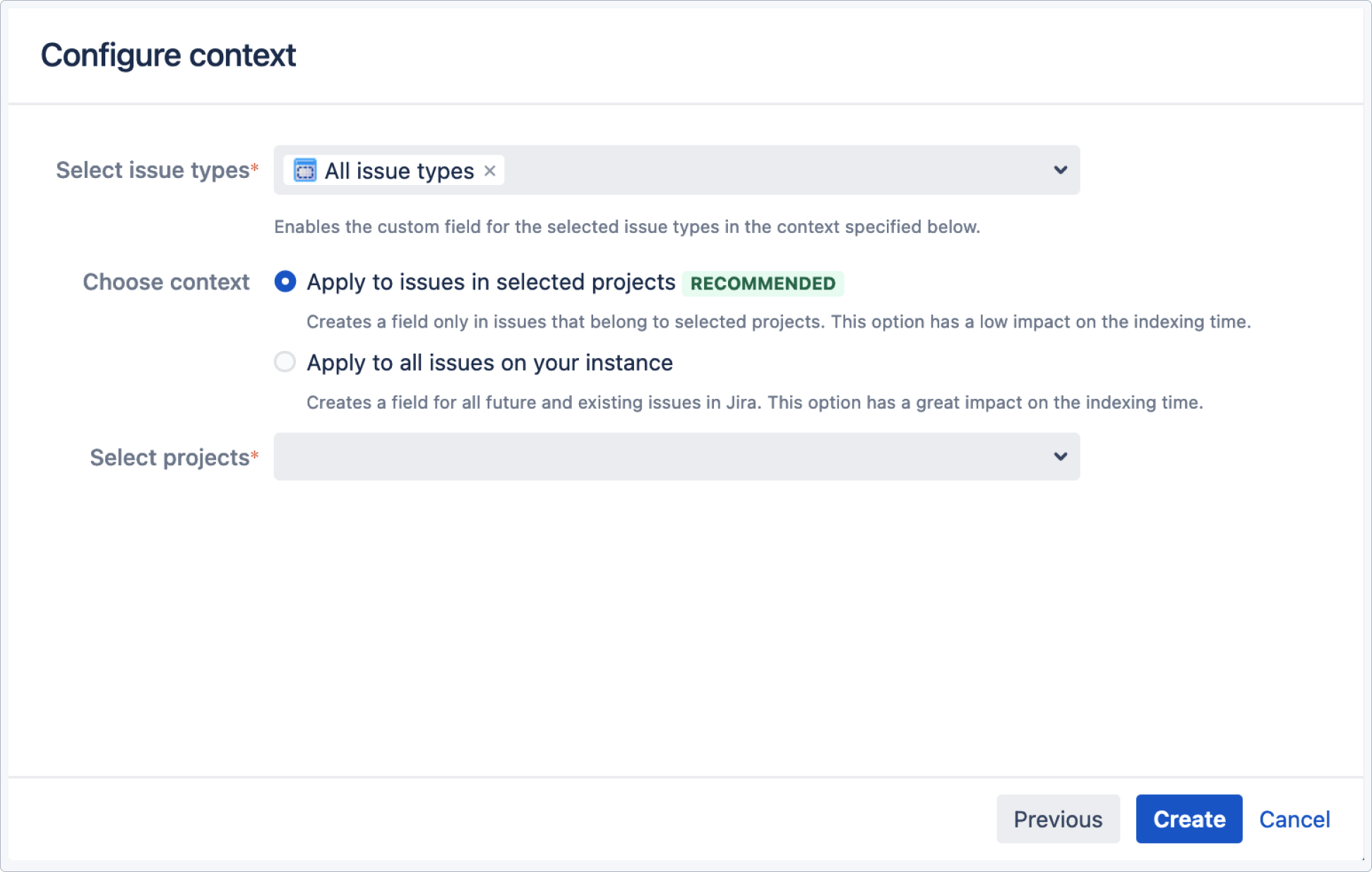
Select issue types, choose context and select projects.
-
Select the checkboxes of the screens on which this custom field will be displayed.
-
Click Update.
Result
A new custom field Deviniti [Dynamic Forms] - Secured Select / Secured Multiselect is added to Jira.
Add a new configuration
Steps
To configure Deviniti [Dynamic Forms] - Secured Select / Secured Multiselect custom field:
-
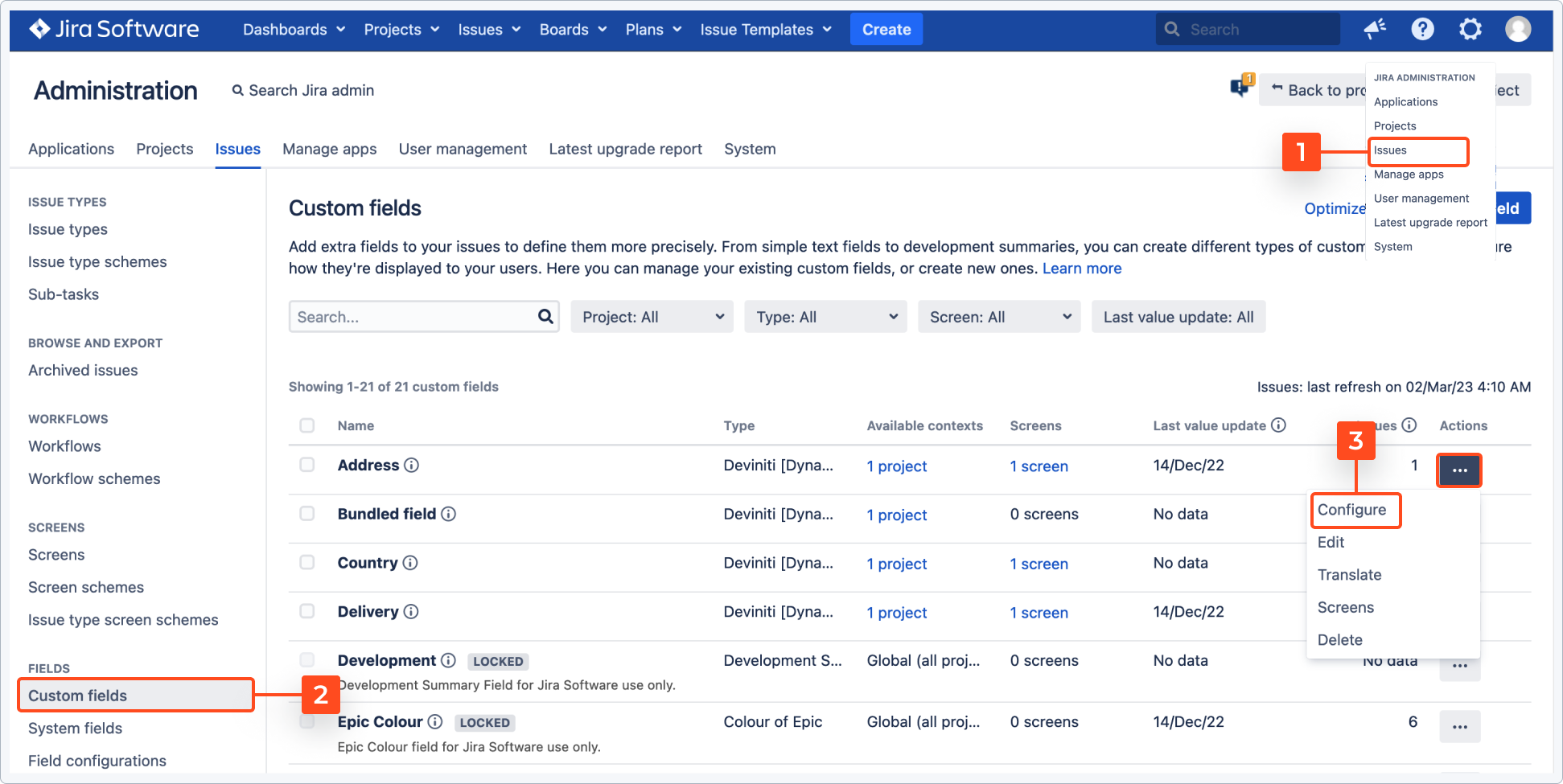
Go to Jira Administration > Issues.
-
Choose Custom Fields from the left sidebar.
-
In Secured Select click the cog icon and select Configure.
-
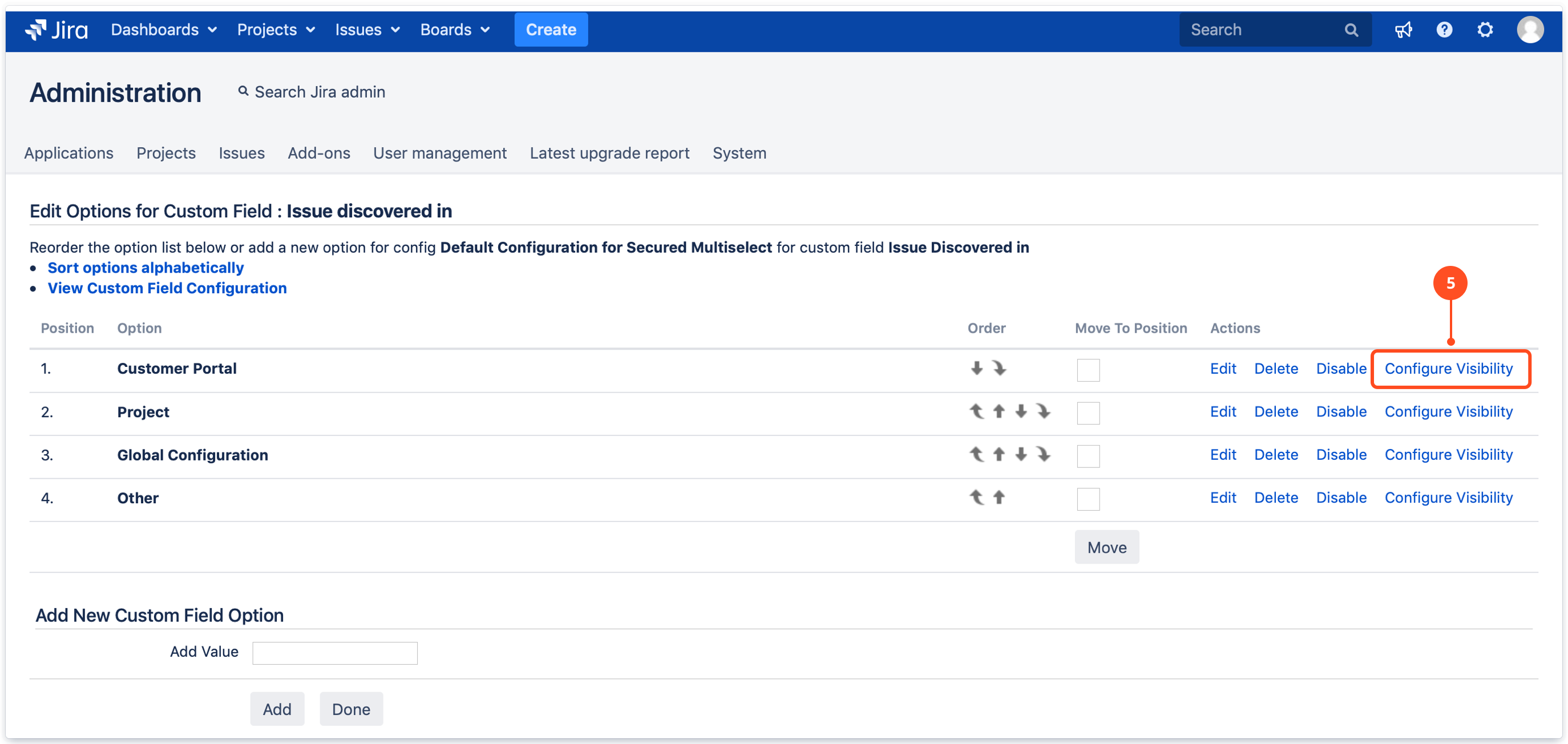
Add options to Secured Select field.
-
Click Configure Visibility.
-
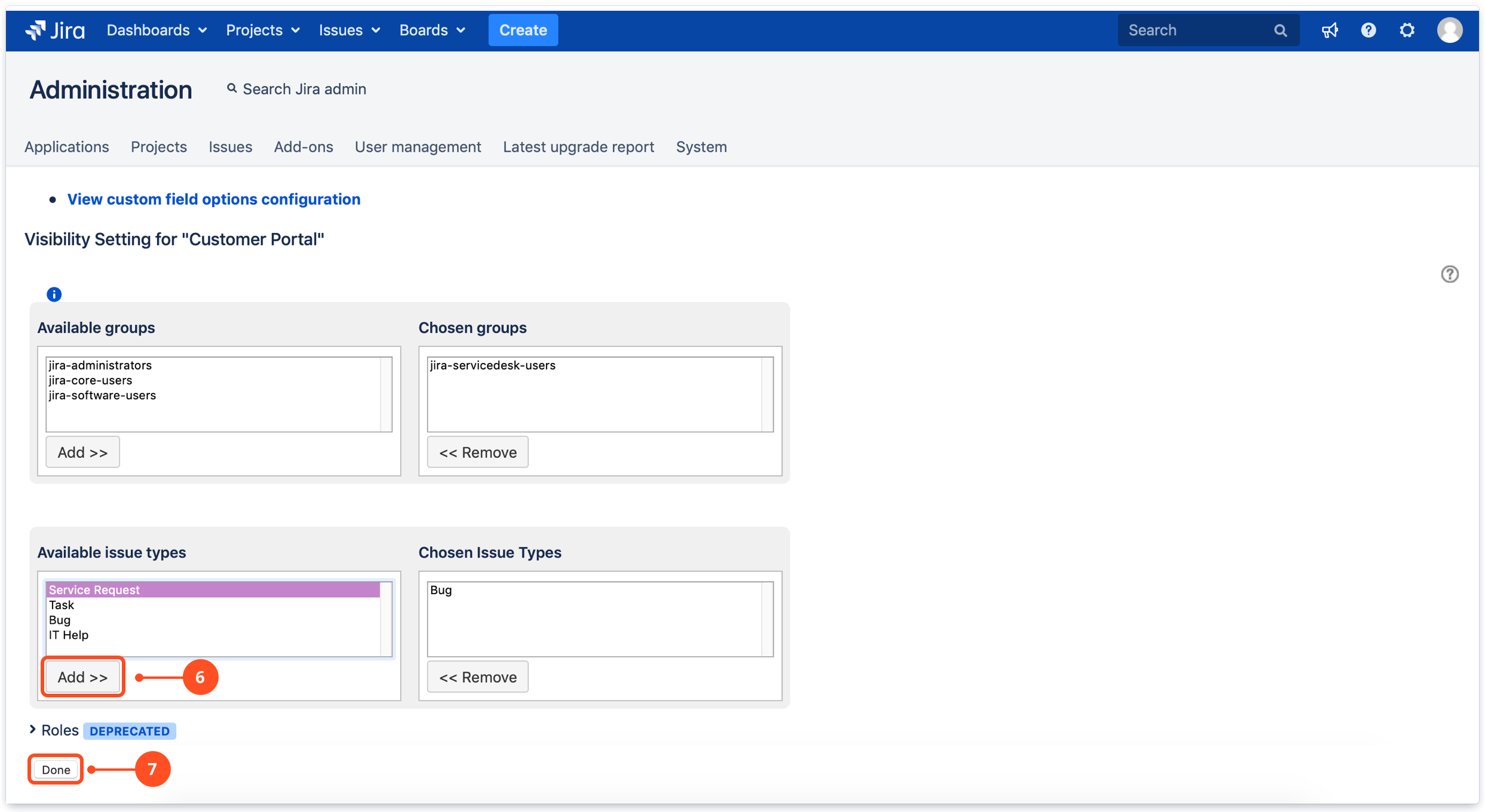
Choose a group and/or issue type and click Add.
TipYou can remove group and/or issue type at any time, by clicking Remove. -
Click Done.
Result
Select’s option is visible for chosen group and issue type.
If you can’t find the answer you need in our documentation, raise a support request.
