

- Get started
- About
- Supported fields
- Migration to Cloud
- User's guide
- Customer's view
- Approvals page
- Configuration
- General Configuration
- Scopes
- Fields configuration
- Filters management
Last updated Mar 9, 2022
Columns
Learn how to add new columns to your Requests page
Info
Field selection (system or custom) is predefined by the Jira administrator.
Add columns to your Requests page for improved visibility and better overview.
Steps
- Click on the Columns bar.
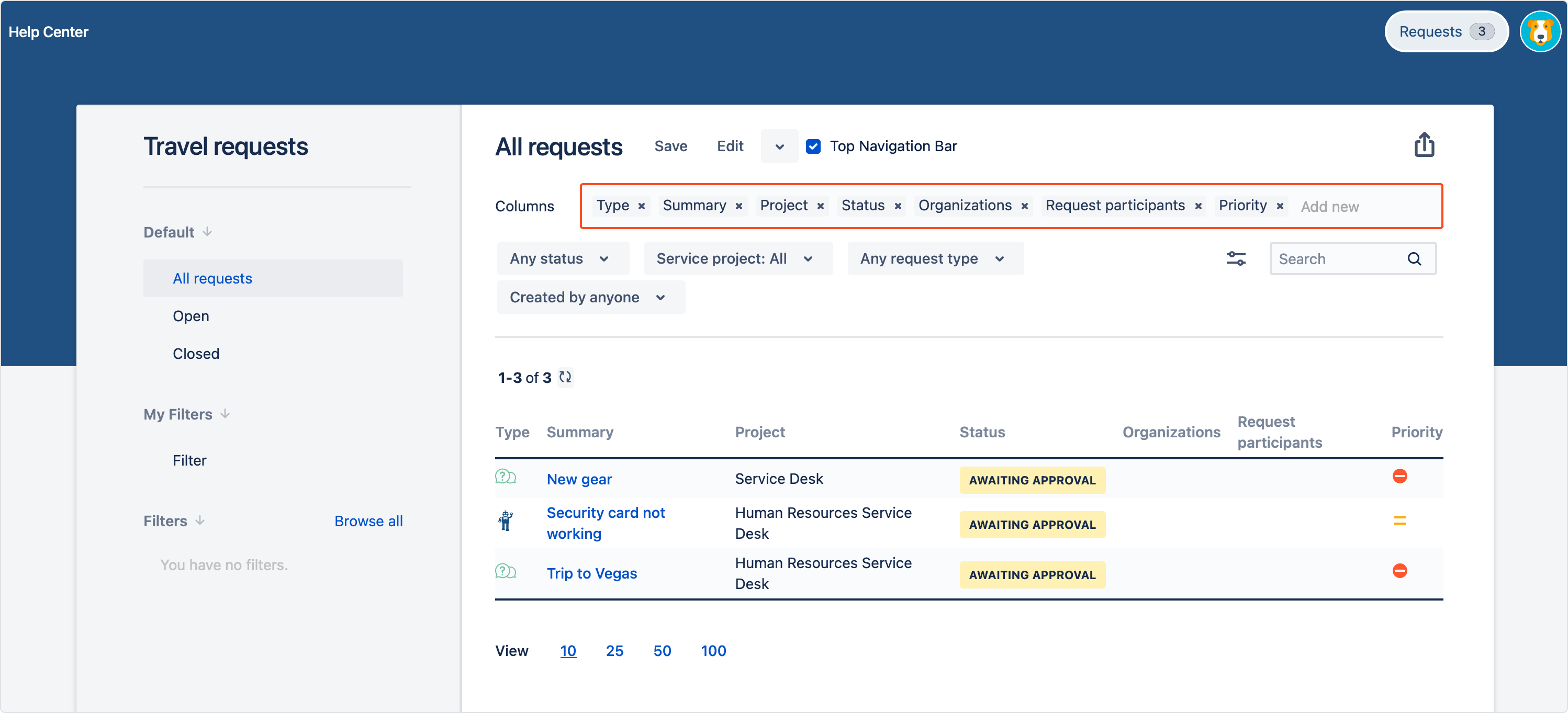
- Type field’s name or select it from the drop down list. Field is added automatically.
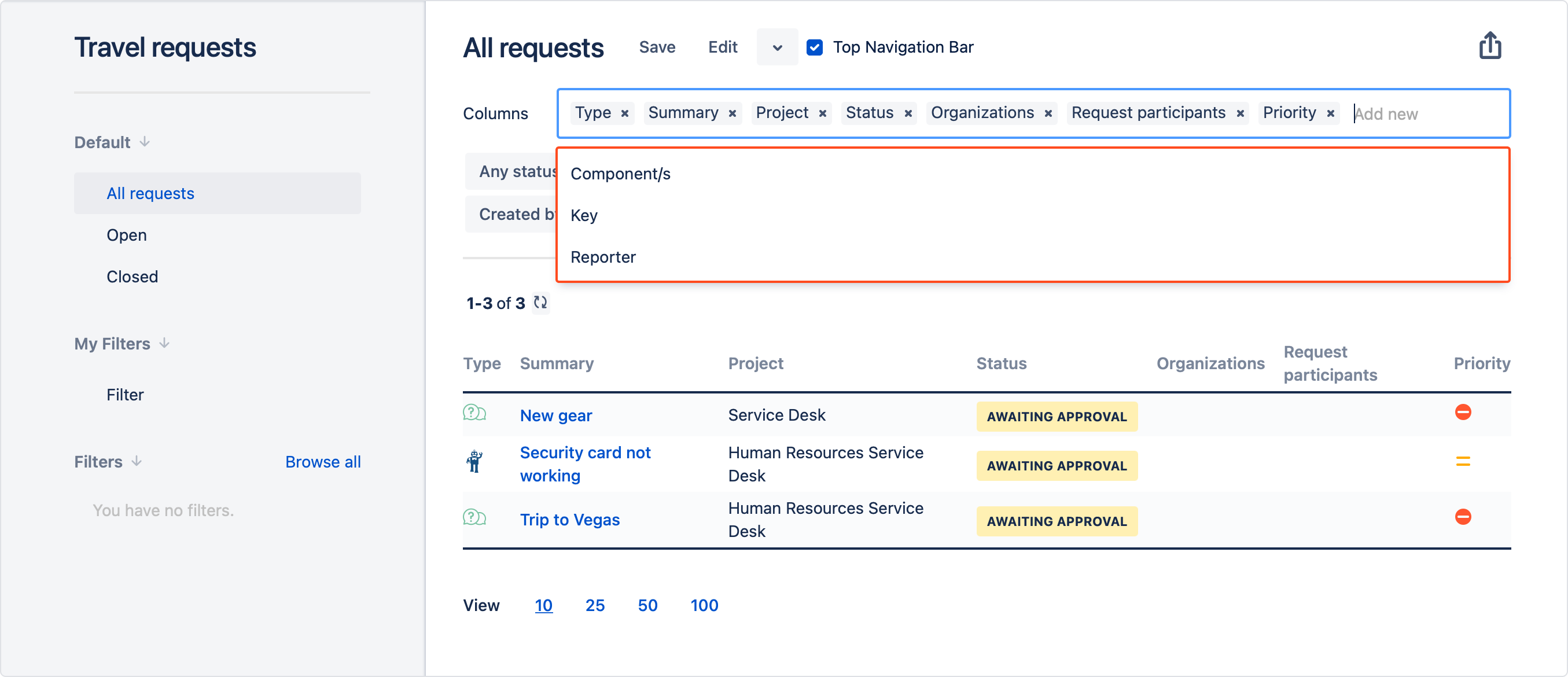
Result
Selected columns are added.
Tip
- Use drag and drop to reorder columns. Sort columns by clicking on the header in the table.
- If you want to change amount of displayed requests on page, go to View in the bottom left corner and click 10, 25, 50 or 100.
Need help?
If you can’t find the answer you need in our documentation, raise a support request.
