

- User's guide
- Project view
- Navigation
- Relations
- Requirement
- Test Case
- Test Plan
- Test Execution
- Defect
- REST API
- REST API
- Authentication
- Jira REST API
- Requirements
- Test Case
- Test Plan
- Test Execution
- Test Case Execution
- Defects
- Tree Structure
- Example of use
Traceability
This chapter provides information on how to use traceability.
Traceability matrix presents correlation between any two baselined requirement types using many-to-many relationship comparison. You can define which types of links will be displayed in traceability matrix. Report is based on direct links, which means it will work for other objects and inform, for example, if all TC are under TP, which TP are executed, and whether which defects are related to TC.
StepsTo create a traceability matrix:
- Navigate to Project > RTM.
- In the Reports section, click Traceability.
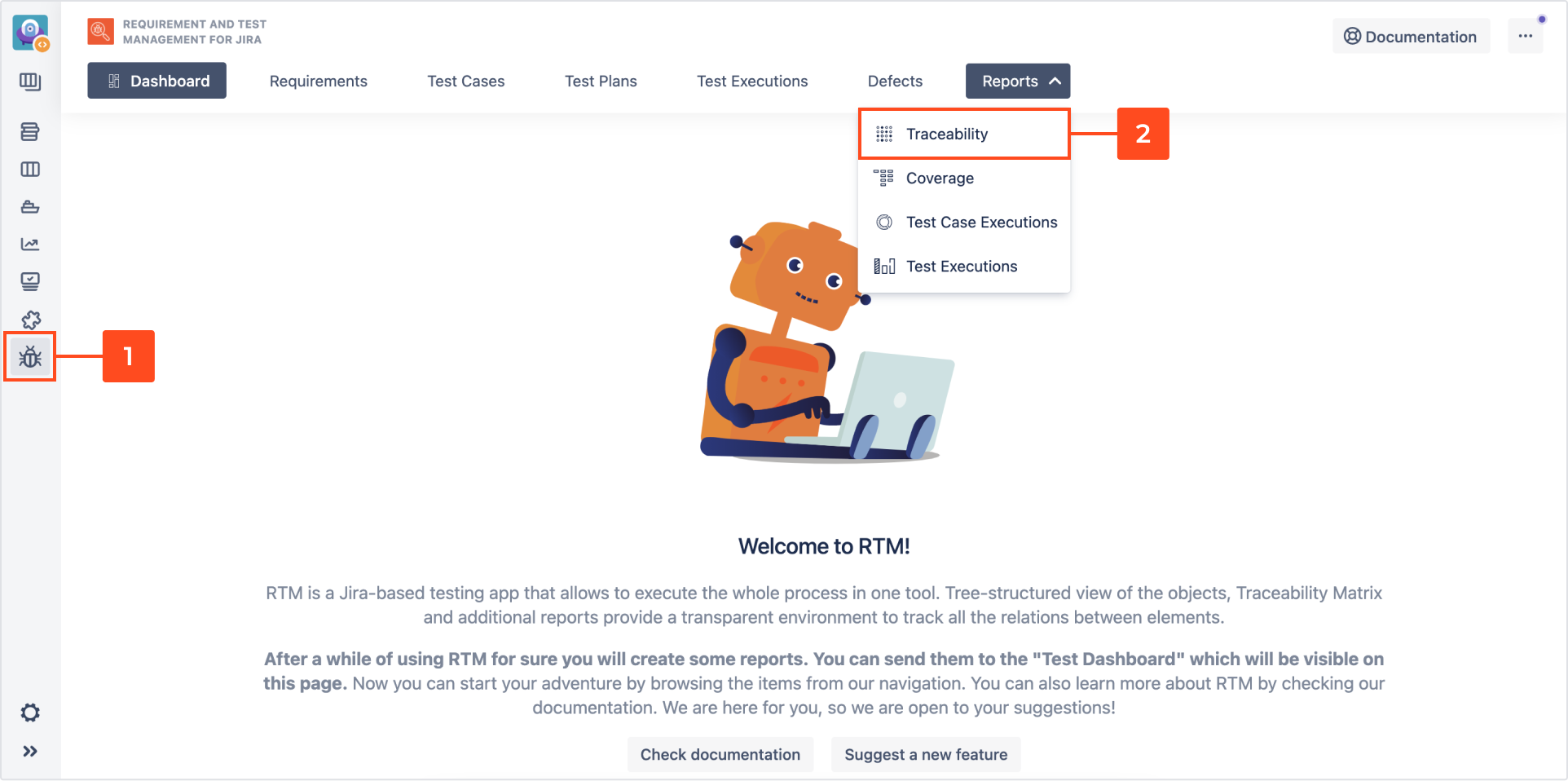 Info
InfoYou can also navigate to Test Management and select Traceability Report from the Reports section.
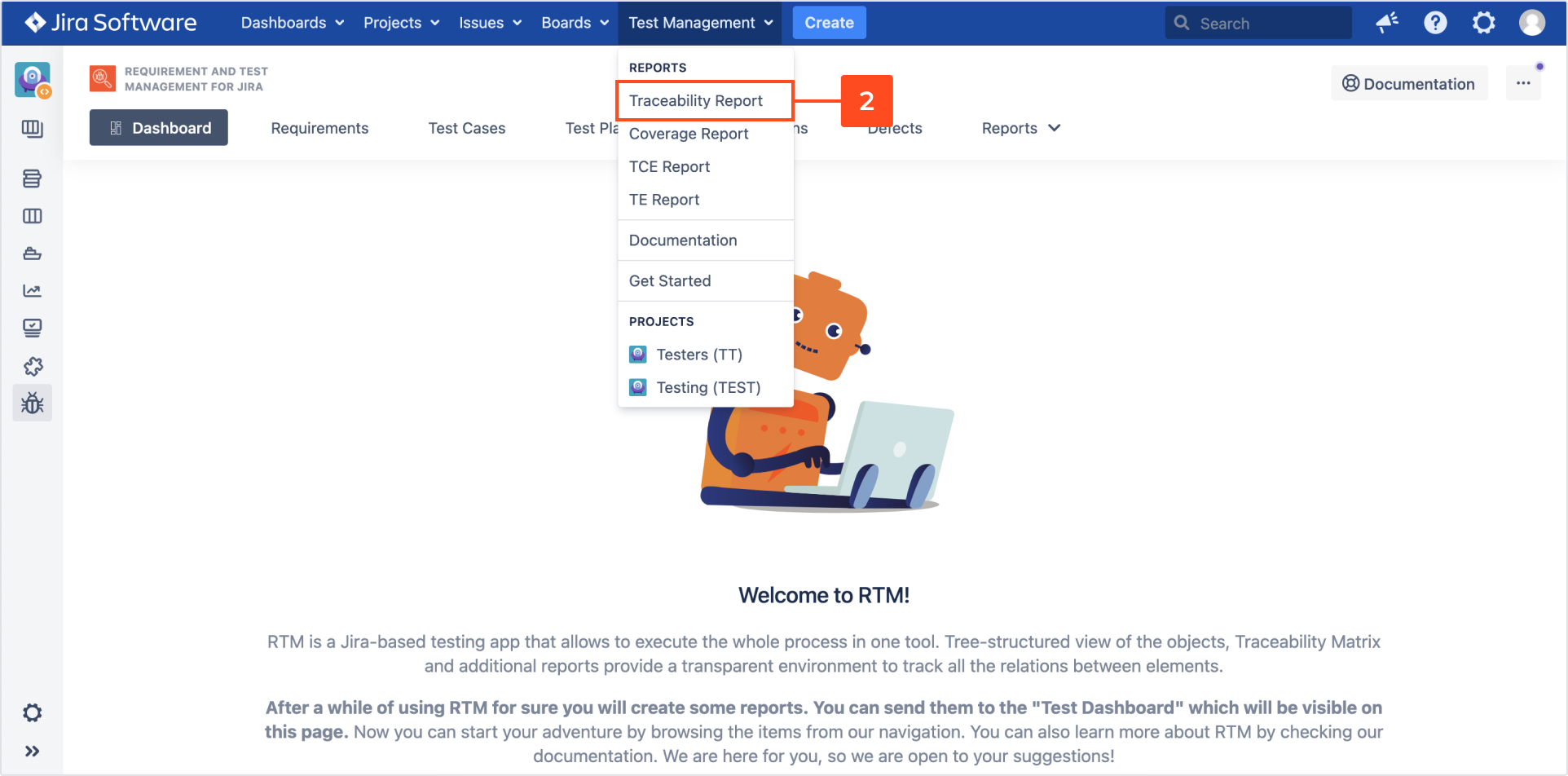
- Choose projects.
NoteSelect RTM project from drop down list or use Advanced to search for another test repository project. - Choose types of requirements X-axis (columns) and Y-axis (rows).
InfoYou can use JQL query to select issues by clicking on Advanced.TipYou can use the following JQL to search Requirements that are not linked with any Test Cases:
project= XYZ AND issuetype = “IssueTypeName” AND issueLinkType != "covered by" - Click Generate.
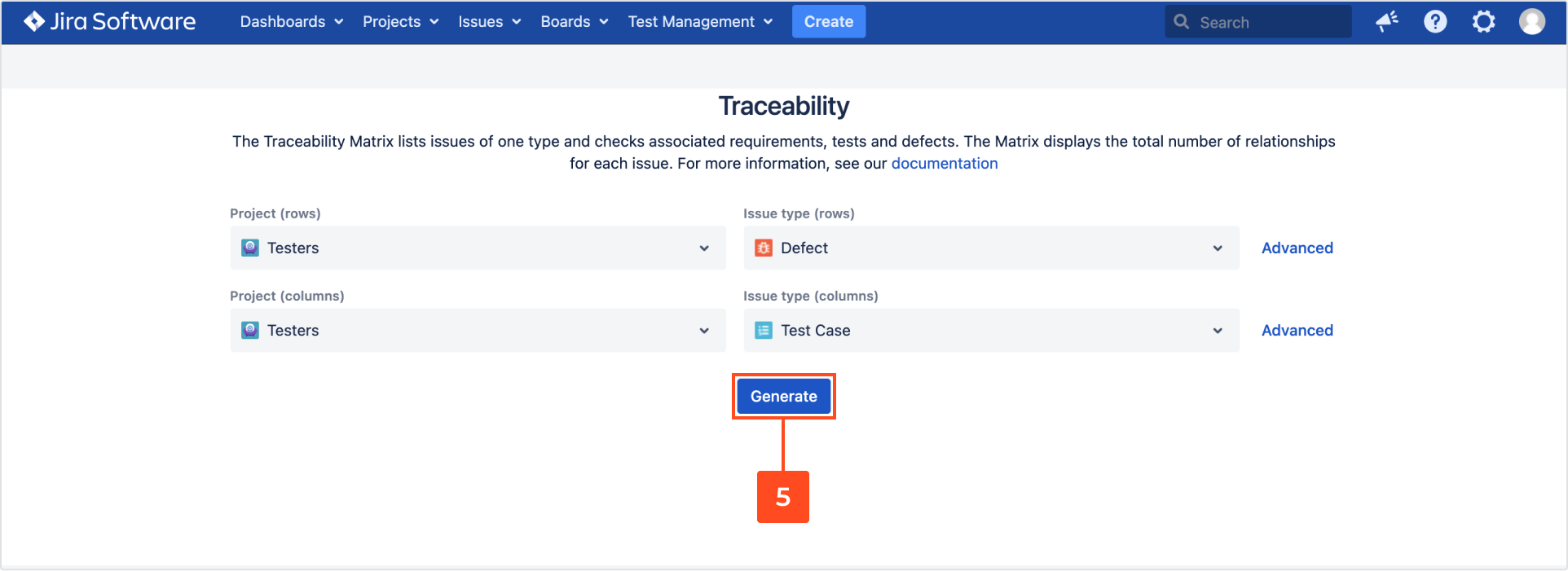
Result
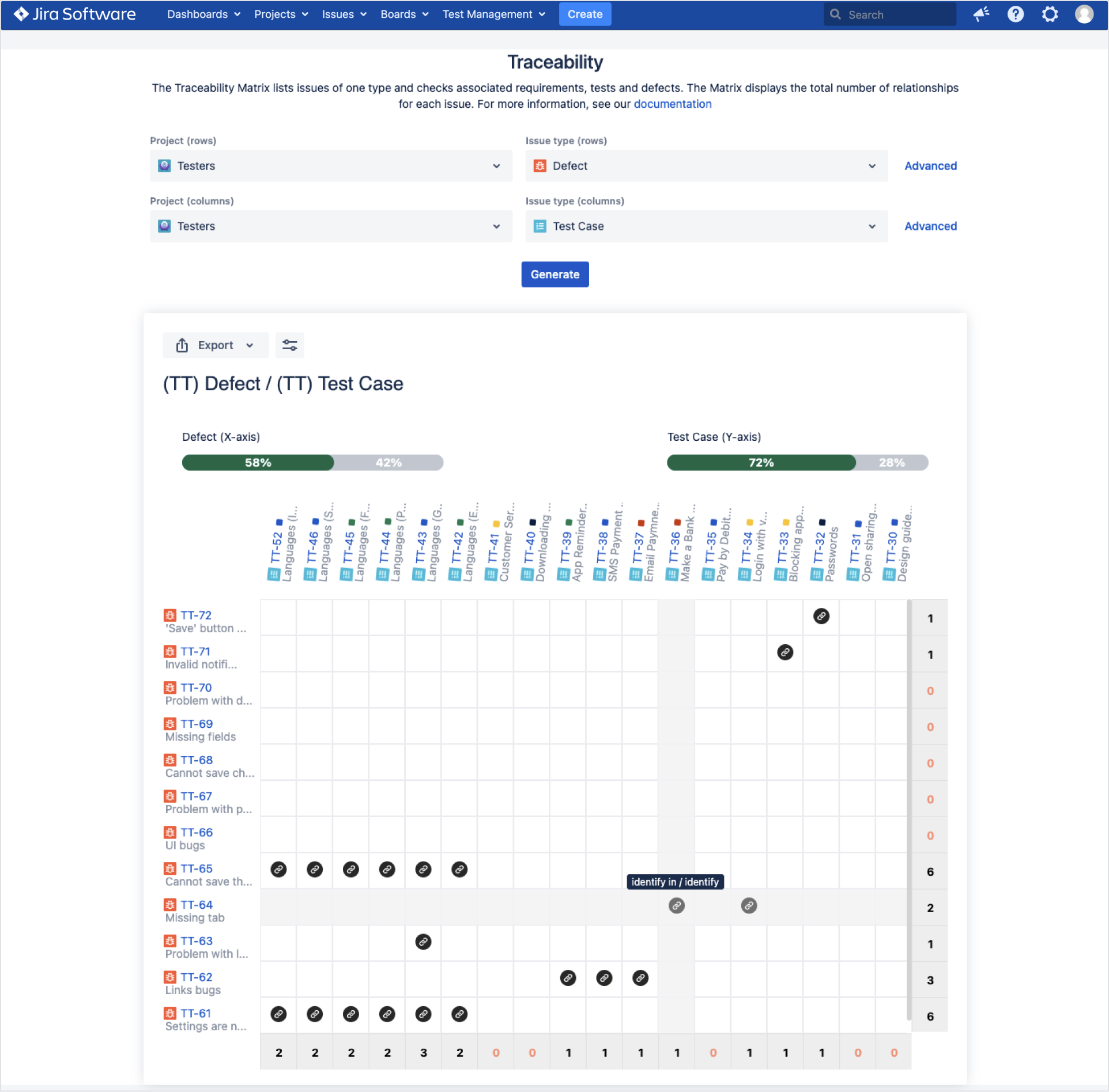
Traceability matrix with relations has been created.
-
Hover over the link icon in Traceability matrix to see a type of relation in tooltip. Click on the target issue key in the table to view the issue.
-
You can export traceability matrix to .pdf or .csv file by clicking on Export icon.
-
Switch issue links toggles to on to show them in the table.
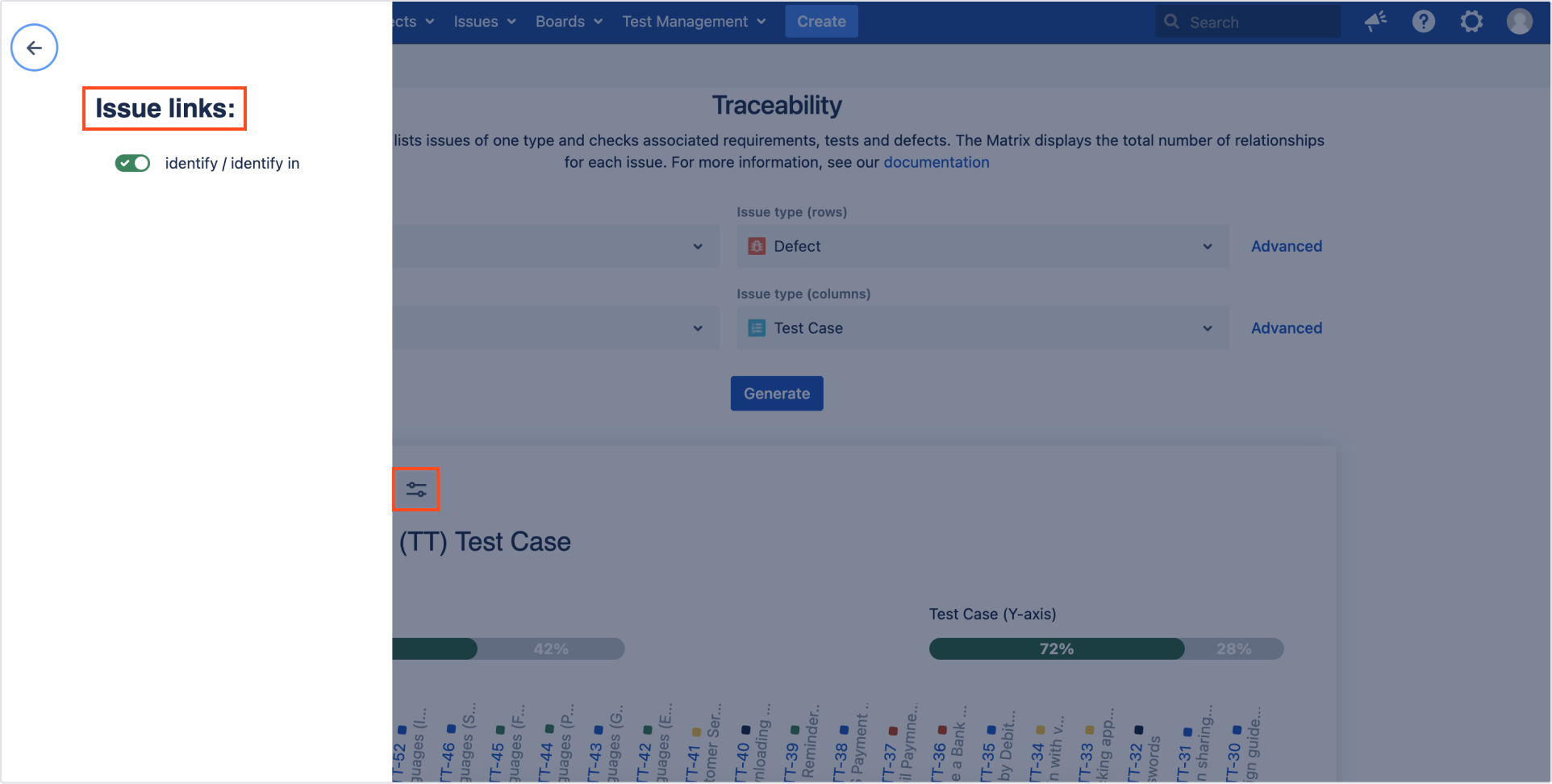
Traceability report displays the last result of Test Case. Simply select the Test Case issue type and Generate the report. The current status of TC is visible on axis, near the issue key. Hover over the colored square to check the last result of TC.

Additional reading
- 4 test reports that managers and clients badly want to have
- Requirements Traceability Matrix is not only for requirements
Need help?
If you can’t find the answer you need in our documentation, raise a support request*.
*Include as much information as possible to help our support team resolve your issue faster.
