

- About TestFLO
- Overview
- For whom
- Key benefits
- Roadmap
- Onboarding
- Basic concepts
- Glossary
- Quick guide for Jira Administrator
- Quick guide for QA manager
- Quick guide for testers
- Demo environment
- Requirements
- Requirements
- Requirement operations
- Designing tests
- Test Case Template
- Organizing tests
- Reporting & tracking
- Reporting and tracking overview
- Requirement Test Coverage Report
- Requirement Traceability Report
- Requirement Test Execution Report
- Test Plan Execution Report
- Test Plan Iterations Report
- Test Execution Report
- Test information panel
- Issue panels
- Export test issues
- Dashboard Gadgets
- Miscellaneous
- TestFLO menu
- Issue Search Dialog
- JQL functions
- Administration & Configuration
- Projects' organization
- Create project
- Project configuration
- TestFLO settings
- TestFLO Permissions
- Custom fields
- Advanced workflow configuration
- Panel Filter Result
- Import/Export TCT
- Test Automation configuration
- Upgrade reports
- Upgrade guide
- Integrations
- Confluence
- REST API
- Configuration Manager for Jira
Quick guide for QA manager
On this page, the QA manager or Test Lead will learn how to get started with TestFLO and how to manage its settings.
Project configuration
- Go to the project(s) that the Jira Administrator created for you to manage your tests.
- Go to the Project Settings > Test Management.
- Walkthrough the tabs and configure the project(s) based on your test management process.
 Note
NoteLet TestFLO know where your requirements are in Project Settings > Requirements tab, otherwise reports related to requirements will be inaccessible.
- For a broader view of all configurations, please see Admin’s guide section for details on configuring TestFLO.
TestFLO is extremely configurable. Contact your Jira Administrator in case you’d like to:
- configure screens related to test management by adding or removing fields
- customize test management workflows
- restrict Test Case edition based on its status or user’s permissions
- configure TestFLO’s global permissions
- customize the panels shown on your issues
- change the way test steps are displayed by adding, removing, or renaming columns
- move TestFLO’s configuration and data between two Jira instances or between projects within the same instance thanks to its integration with Configuration Manager
Beginning work in standard setup
Below you can review a general flow that you can use with TestFLO:
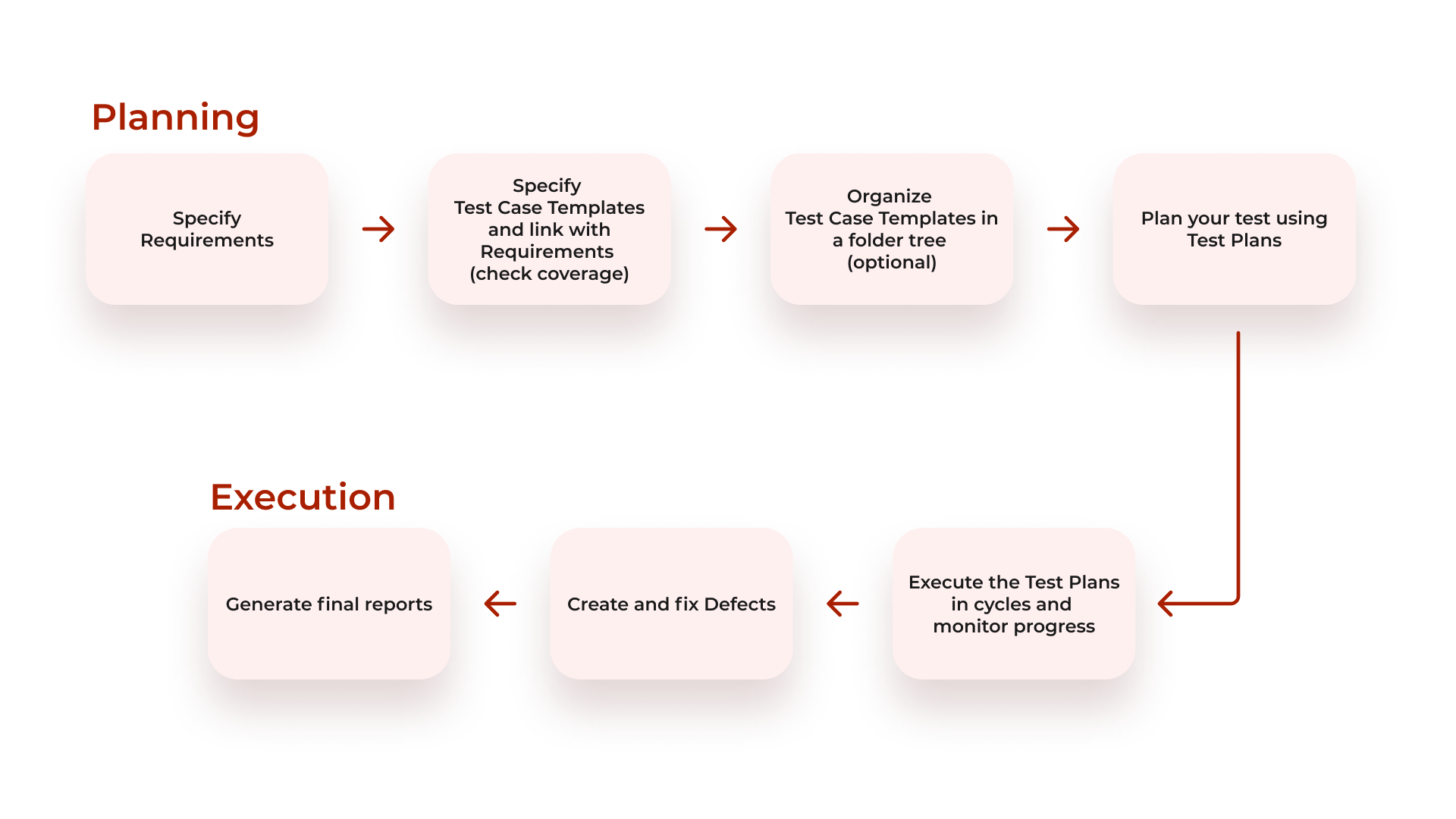
More information you can find on the General flow of work page.
You can try out almost everything described below yourself on our Live Demo Environment (login/pass: testflo):
- Share the Quick guide for testers with your team so they can cover the requirements by Test Case Templates and organize them in the test repository.
- Create a Test Plan. You can choose one of the following ways:
- from the Test Repository. Then it will have Test Cases ready for execution defined.

- from the Create Issue dialog. After you click the Create button on the top navigation in Jira select the appropriate project and Test Plan as Issue Type. Click Create. Add Test Cases to it from Test Case Templates.

- from Requirement. After covering the requirement with Test Case Templates, create a Test Plan based on the Coverage panel. Click the More menu and select Create TP with Test Cases.

- You can optionally link the Test Plan with a requirement that it covers if you want to. This step is optional since the Requirements Traceability Report takes coverage information from Test Case Templates that the executable Test Cases created from.

- Depending on how your team works, you can assign Test Cases to testers yourself, or they can divide the work among themselves by assigning Test Cases.
 Info
InfoLearn more about other operations you can perform on the Test Plan on the Test Plan operations page.
- Then you can change the status of the Test Plan to let everybody know work can be started.
 Note
NoteIf the default workflow of the Test Plan or Test Cases provided by TestFLO does not reflect the way your team works, you can ask your Jira Administrator to modify it. Some QA managers need to prevent Test Cases from being started before the Test Plan is marked as started, others need to make sure the Test Cases are executed strictly in the order defined in the Test Plan. With TestFLO it is possible to configure such restrictions and many more.
- To monitor the progress of your Test Plan:
- check TP Progress
- inspect the listed Test Cases in the Test Cases panel
- look at the Test Information panel
 Note
NoteThe columns in the Test Cases panel can be modified in TestFLO global settings accessible by your Jira Administrator. In the future, TestFLO will enable testers to personalize the columns themselves. See our roadmap.
- check the Test Plan Execution Report accessible from the project menu on the left. With this report, you can verify the Test Plan progress with precision down to the status of specific test steps on the Test Cases.
- You can use Test Plan iterations to retest selected Test Cases within the Test Plan. Click Next iteration from the Test information panel and select creation option and Test Cases to execute in a new iteration.

 Note
NoteIterations can have meaningful names, f.e. sprint names, date ranges, build numbers, which are later visible in the Test Plan Iterations Report. If you don’t want new iterations to be started by unaware users, we suggest narrowing down the list of people who can start a new iteration. You can do this in Project Settings > Test Management > Permissions tab.
- If TestFLO is connected with a Continuous Integration Server, you can run automated tests from the Test Plan, and the results will be represented as Test Cases under the Test Plan.
 Info
InfoFind out more about Run automated tests operation here.
Accessing information
- Use the TestFLO menu from the top navigation bar for quick access to information.

- View the Test Repository in the project menu on the left.

- Configure Jira dashboards and Kanban or Scrum boards to monitor and control current test efforts.

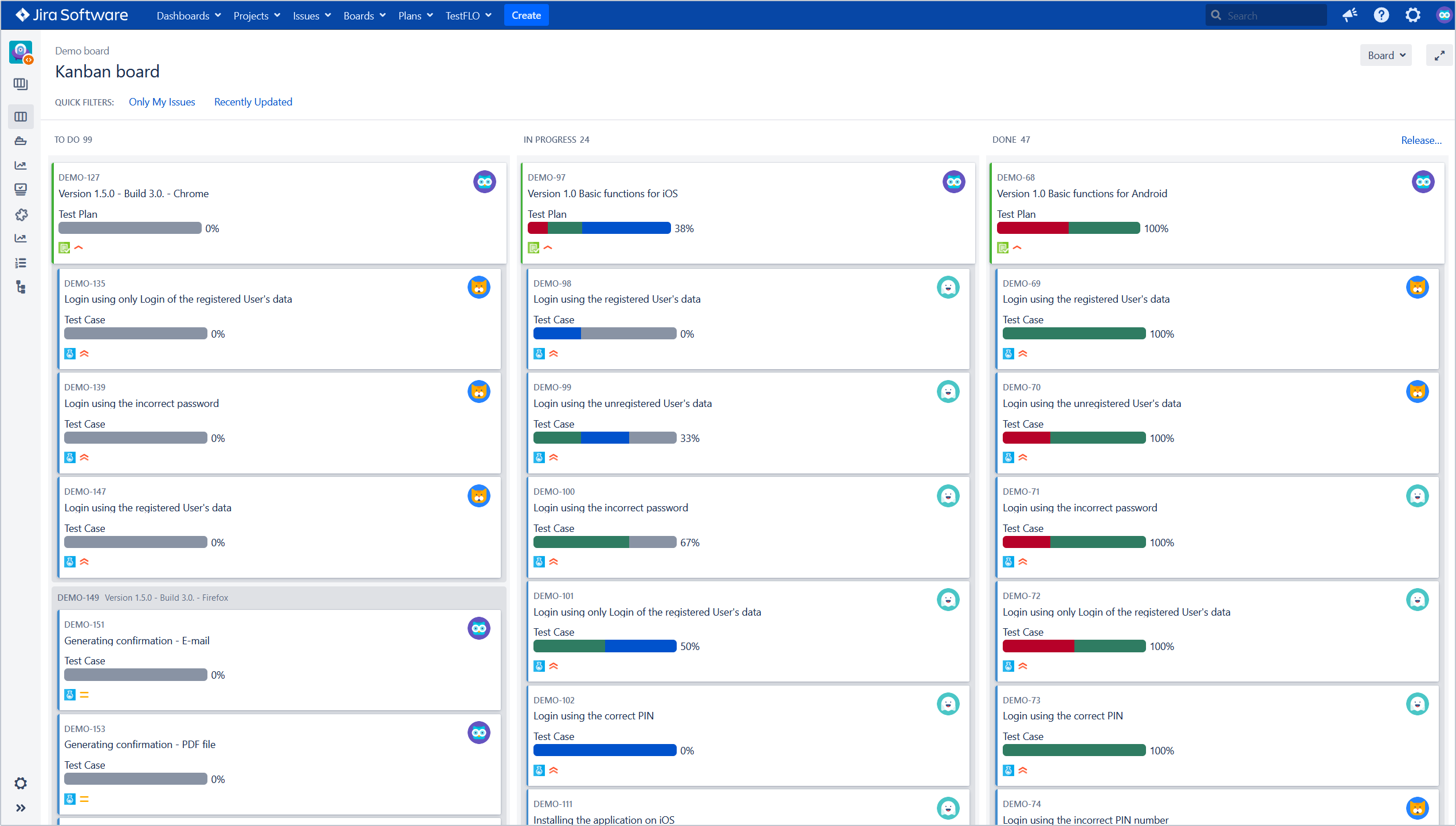
- Access Test Reports from project’s menu on the left.
 Note
NoteReports related to requirements will become visible after filling in Project Settings > Requirements tab.
If you can’t find the answer you need in our documentation, raise a support request.
