

- User's guide
- Project view
- Navigation
- Relations
- Requirement
- Test Case
- Test Plan
- Test Execution
- Defect
- REST API
- REST API
- Authentication
- Jira REST API
- Requirements
- Test Case
- Test Plan
- Test Execution
- Test Case Execution
- Defects
- Tree Structure
- Example of use
Import Test Cases
This chapter provides information on how to import Test Cases from another testing app.
RTM app allows to import Test Cases from almost all testing apps.
Steps
To import Test Cases:
- Go to Test Management > Test Cases.
NoteThis is the way to import Test Cases in project configuration, but if you want to use global one, navigate to Jira Administration > Manage apps, and then, in the RTM section, click Import.
- Choose the target Test Case/Folder.
- Click ….
- Select Import from CSV.
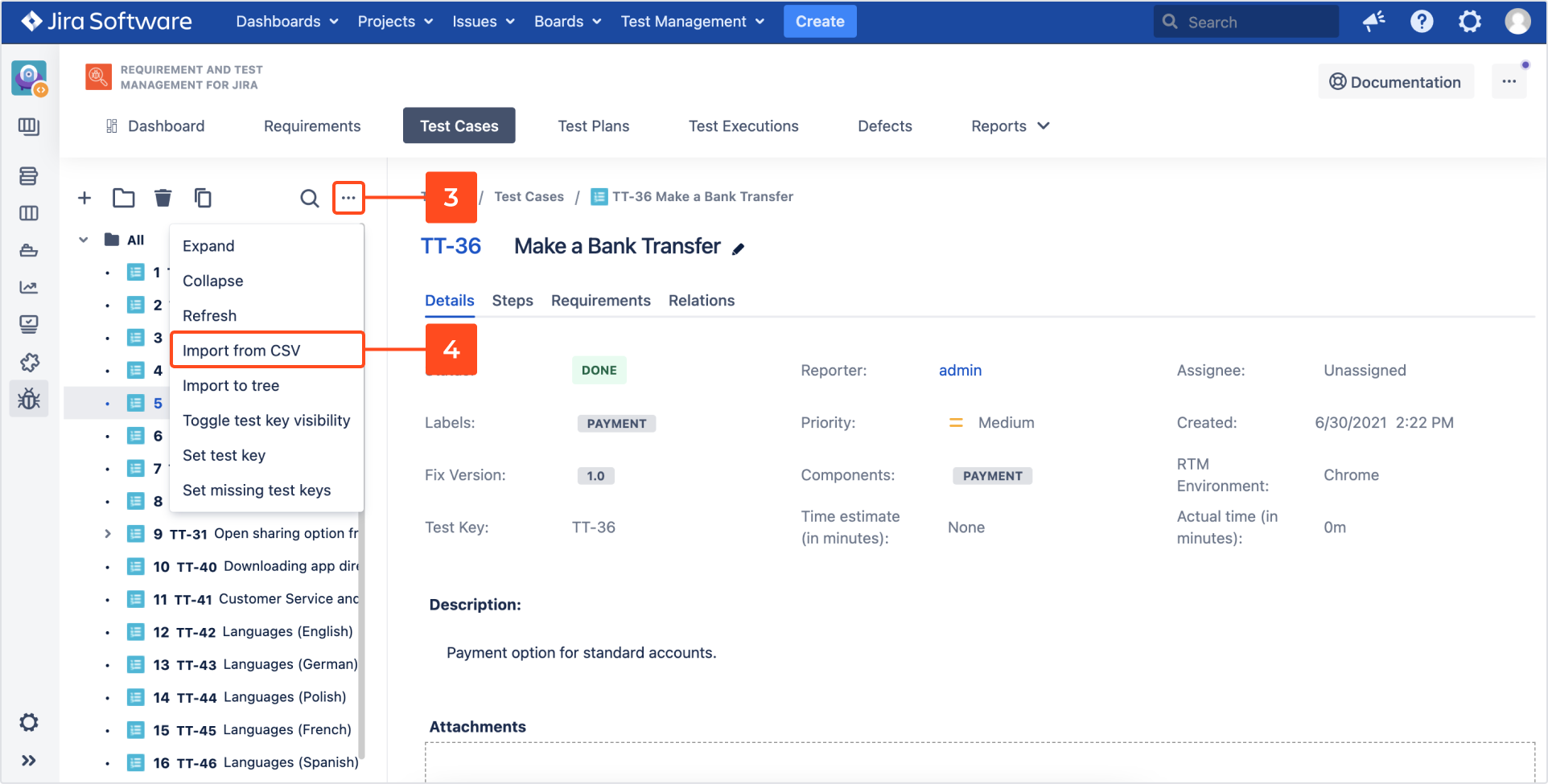
The Test Cases Import page appears. - Select:
- RTM project
NoteIn global configuration you need to choose a specific project.
- Tool from which you are importing Test Cases
ExampleYou can check how to form .csv file in case of importing from Testrail by clicking on Testrail-sample-file-import.csv. Testrail sample file can be also used as template while importing Test Cases from Other apps. If you decide to import Test Cases from Deviniti format, check Deviniti-sample-file-import.csv. Please note that tctStepId, stepGroup and issueIndex are technical fields, and you shouldn’t map them.
- File encoding
- Values separator
- RTM project
- Choose:
- File first line is a header: decide, whether the first line in imported file should be a header.
- Stop after first issue that could not be created: decide not to continue importing if an error appears.
- Create missing versions and components: if there are no versions and/or components in the target project.
- Attach a .csv file to import.
- Click Next.

- Match Column title from .csv with RTM fields.
- Click Next.
NoteYou don’t have to match each column title from .csv with RTM fields to import Test Cases, but the more information you will provide, the more will be contained in the issue.

- Click Confirm.
After confirmation, importing starts automatically.
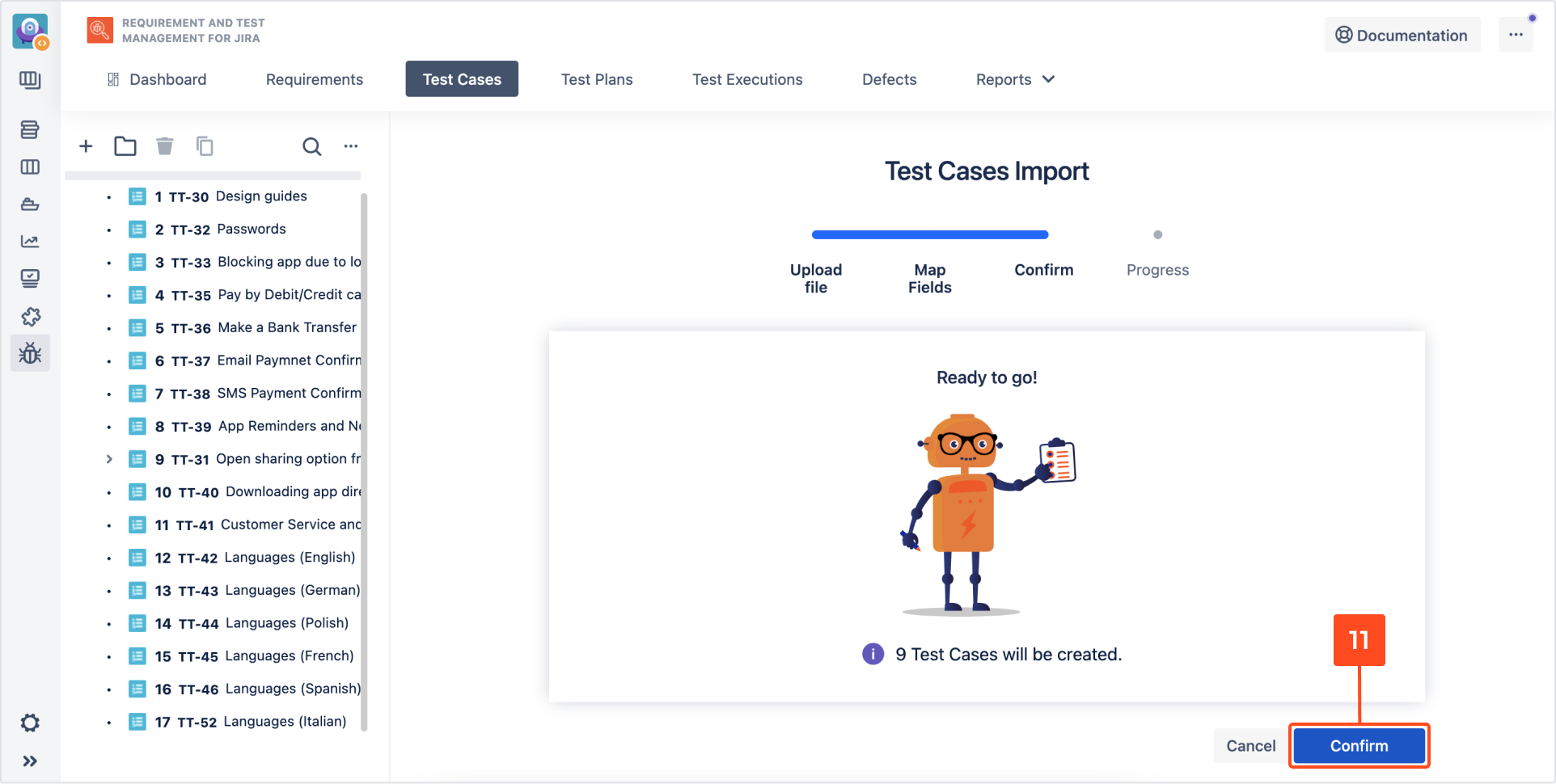
When the import is completed, a notification appears in the Progress section.
Note- Below notification, you’ll find an Import Result button to download a summary file.
- To start another import, simply click Import Another.

Result
Test Cases have been imported.
Need help?
If you can’t find the answer you need in our documentation, raise a support request*.
*Include as much information as possible to help our support team resolve your issue faster.
