Actions for Jira Service Management
Add missing self-service actions to your Customer Portal
Actions for Jira Service Management extends JSM with custom fields and transition screens: drafts for clean intake, controlled edits after submission, required fields at transitions, on-ticket manager decisions, role-based visibility, and a request progress timeline that your users understand.
Built for teams like yours
Reviews from the Atlassian Marketplace
Enabling customers to edit their requests aligns perfectly with ITIL’s best practices within Jira Service Management and significantly eases the workload for both our team and our customers. The App supports over 30 field types and allows users to create comments during transitions. It also provides custom transition screens that allow customers to modify their requests. We truly appreciate these features!
The immediate positive impact of Actions for Jira Service Management on our daily operations has been truly noteworthy. It’s clear that your team put a great deal of thought and foresight into developing such a valuable and effective solution that directly addresses the challenges we face in service management. We are deeply appreciative of how effectively this tool addresses our specific needs. It has quickly become a vital component in streamlining our customer interactions, making them smoother and more efficient, and significantly optimizing our internal processes across the board.
Actions for Jira Service Management
Key capabilities & use cases
-
Stop incomplete requests from entering your workflow
Save requests as drafts in JSM
Someone needs to create a service request — a laptop, an onboarding, an approval, anything.
But they don’t have everything your support team needs yet.Normally?
They’d submit it anyway, and your agents would chase the missing pieces.With Actions, the request doesn’t enter your queue incomplete:
- The user can save it as a draft instead of submitting too early.
- A manager or teammate can help fill in their part before it’s sent.
This means:
Your team only sees requests that are already reviewed and complete — not half-finished forms. -
Let users edit already-submitted requests
Edit open request’s fields
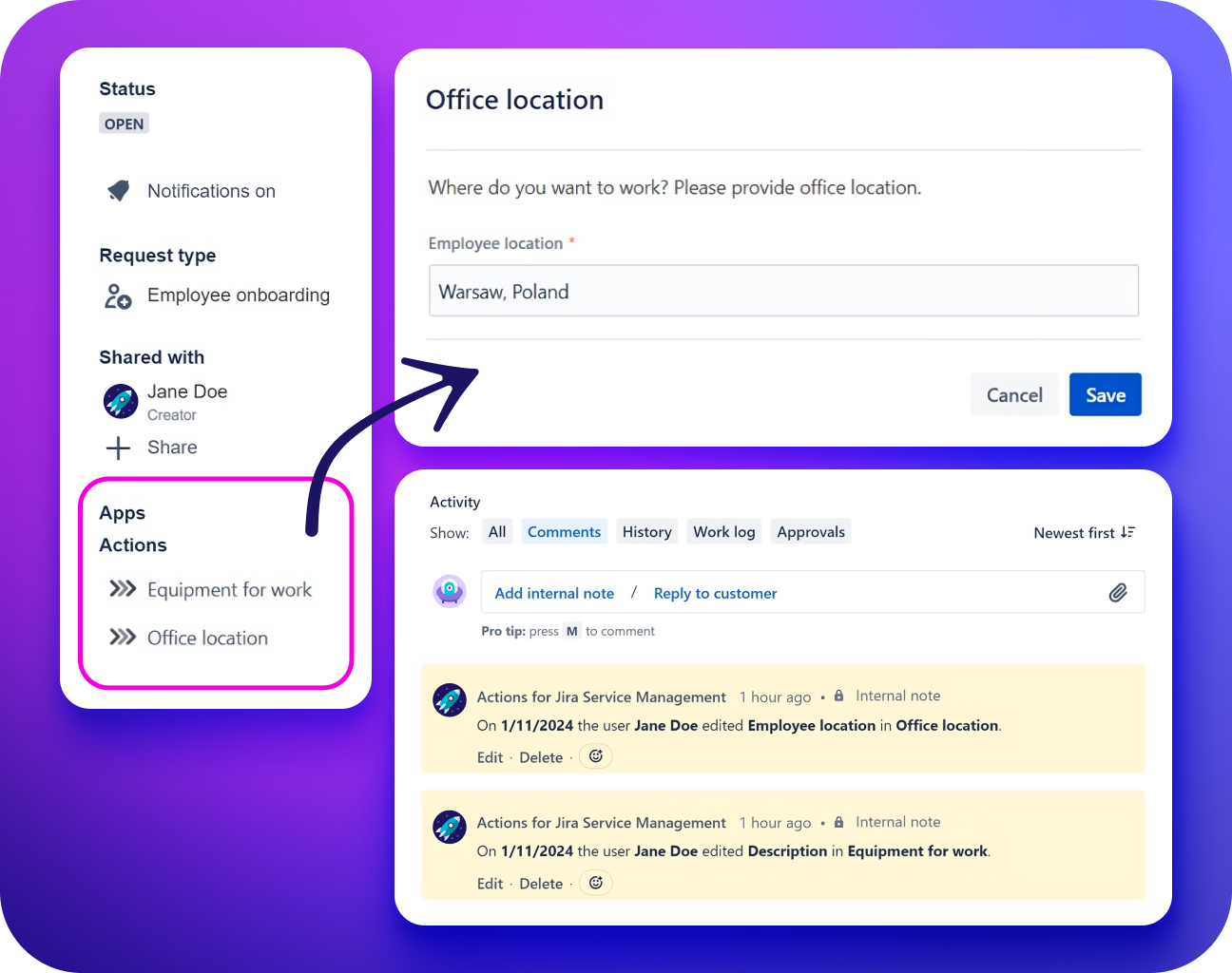
Even with perfect forms and clear instructions, mistakes happen: wrong urgency, outdated start date, or incorrect hardware type. Normally, fixing these requires agents to step in, ask clarifying questions, manually update fields, and sometimes reopen the request. It’s slow, noisy, and frustrating for everyone.
With Actions for JSM:
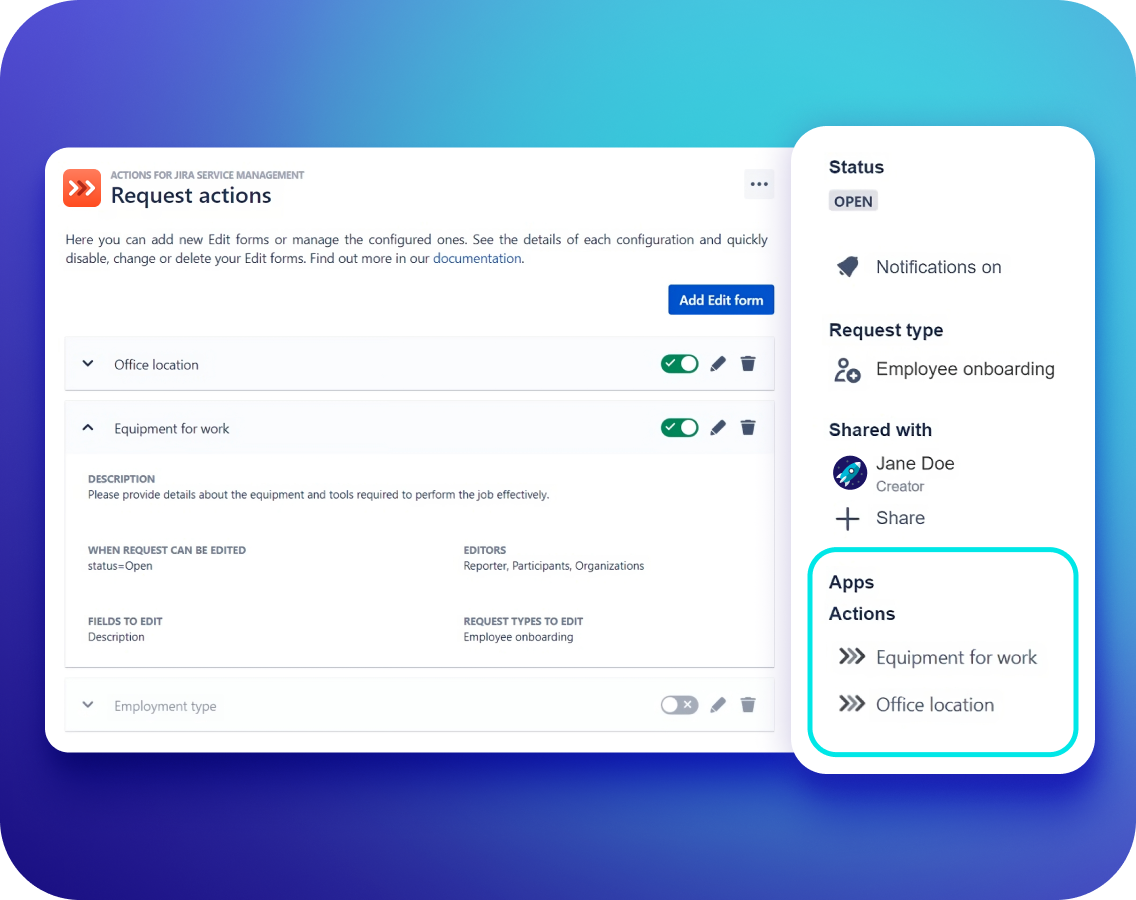
- If something is wrong after submission, the user can safely edit the request themselves — but only the fields you allow.
- Admins decide which fields can be edited, when, and by whom. Everything else stays protected.
- Every edit is recorded automatically, so agents always know what changed.
This means: customers fix their own requests, you stay in control, and agents get clean, complete tickets without extra back-and-forth.
-
As the request moves, Actions collects the exact info your team needs
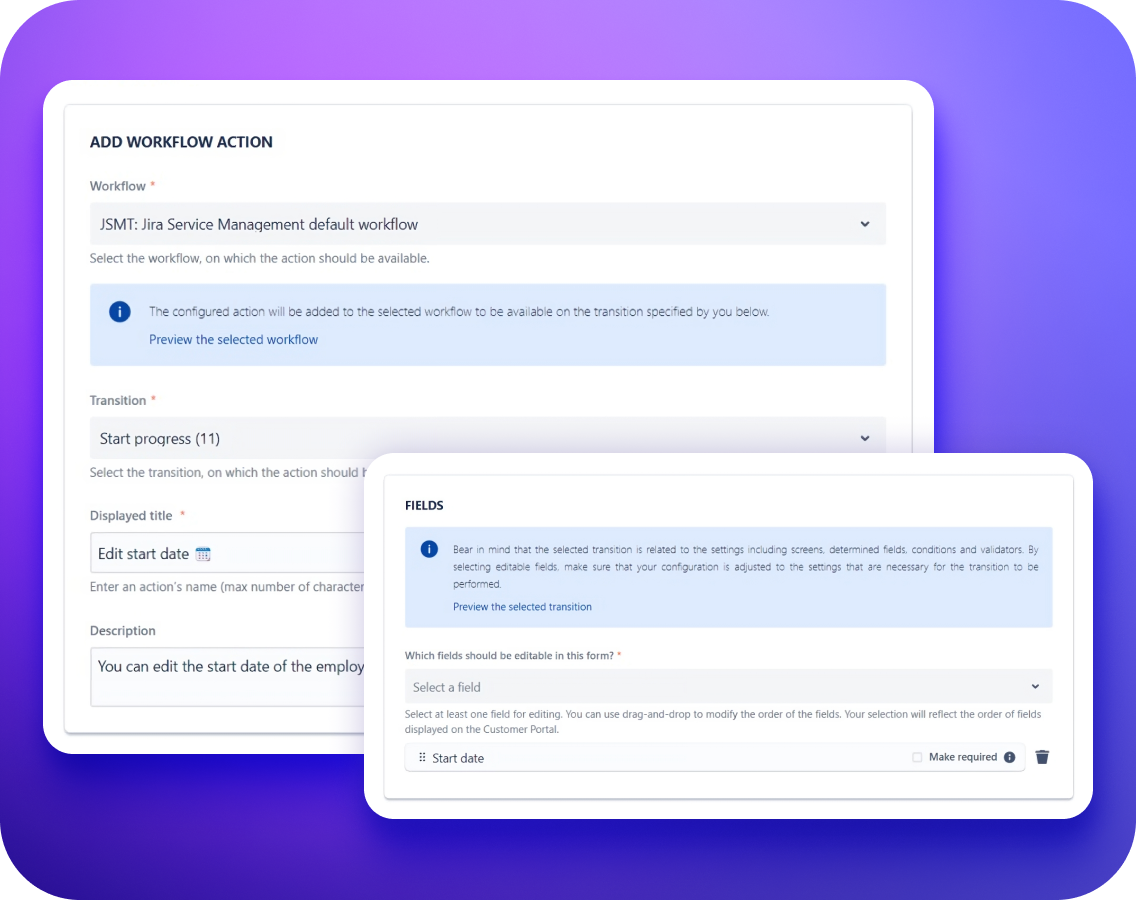
Enforce required fields on JSM forms
Once the request leaves Draft and starts moving through the workflow, Actions makes sure every step gets the right data:
- Need a comment before resolving? It’s required.
- Need impact or justification before approving? Required.
- Want to prevent someone from escalating too early? Show “Escalate” only after X days.
Actions shows a simple form at transitions and won’t let the request move until everything is filled in correctly.
This means:
No guesswork. No holes. No “why was this approved?” And no chasing missing fields later. -
Decisions happen right on the ticket
Display different buttons to different users
As the request reaches different steps, Actions makes sure the right person sees the right options:
- Managers see Approve, Decline, or Confirm change actions.
- They can add the details only they should provide: cost center, justification, or access levels.
- Actions appear or disappear based on role, group, request type, status, or time.
- Users who shouldn’t act never see the button in the first place.
- Sensitive fields stay protected — shown as read-only or completely hidden.
Every approval, decision, or edit lands directly on the ticket with a full timestamped history.
This means:
No off-ticket email approvals, no misrouted transitions, no accidental edits, no permission errors. -
When the ticket reaches the support team, it’s complete and actionable
Resolve requests fast
By the time IT, HR, Facilities, Finance, or the support team picks up the request:
- All required fields are filled.
- Important additional information is shown when making decisions.
- All decisions are already captured.
- Notes are stored in the ticket.
- Asset selections link directly to actual devices or licenses.
- Sensitive data is protected and visible only to the right people.
- Audit history tracks every action and every change.
The team receives a ready-to-work ticket, not a puzzle they need to reconstruct.
Meanwhile, the requester sees a Request Progress timeline, so you get fewer “Any update?” messages.
This means:
Clean queues, faster resolutions, fewer reopens, predictable MTTR, and happier customers and agents. -
The user knows exactly what’s happening
Keep users informed
By the time the support team is working on the request:
- The requester sees a clear Request Progress timeline.
- Completed steps are visible.
- The current stage is easy to understand.
- Next steps are shown.
- Waiting points are clear.
There’s no need to ask “Any update?”
The requester knows where the request stands, and the team gets fewer status-chasing messages.
This means:
More transparency, fewer interruptions, fewer unnecessary escalations, and a better experience for requesters and agents.
Results
Results you can expect
Explore Actions for Jira Service Management documentation
FAQ
-
Why not just use automation?
Automation can run actions — but it can’t control who can perform them, when they appear, or what data must be collected first.
Actions for JSM builds this governance into the workflow itself. It shows users the right prompts, enforces required fields and comments, captures approvals directly on the ticket, applies role/status/time conditions, and logs everything automatically — all configured with clicks, not code.
-
Does this replace automations or scripts?
No. Automations still have their place, but you won’t need nearly as many.
Actions takes care of the parts that automation struggles with: enforcing required data, showing the right actions, and guiding users through transitions. And you can set all of that within an easy-to-use UI, without constantly creating and fixing workarounds and automation chains.
-
Can customers edit after they submit?
Yes. The app allows safe edits (within the rules set by your admin). Drafts help teams complete requests before filing.
-
Will customers see the stage of their request?
Yes. Request Progress shows completed, current, and upcoming steps on the Request Details View.
-
Can we require comments on a transition for portal users?
Yes. Using Actions for JSM, you can require a comment for portal users and for agents.